
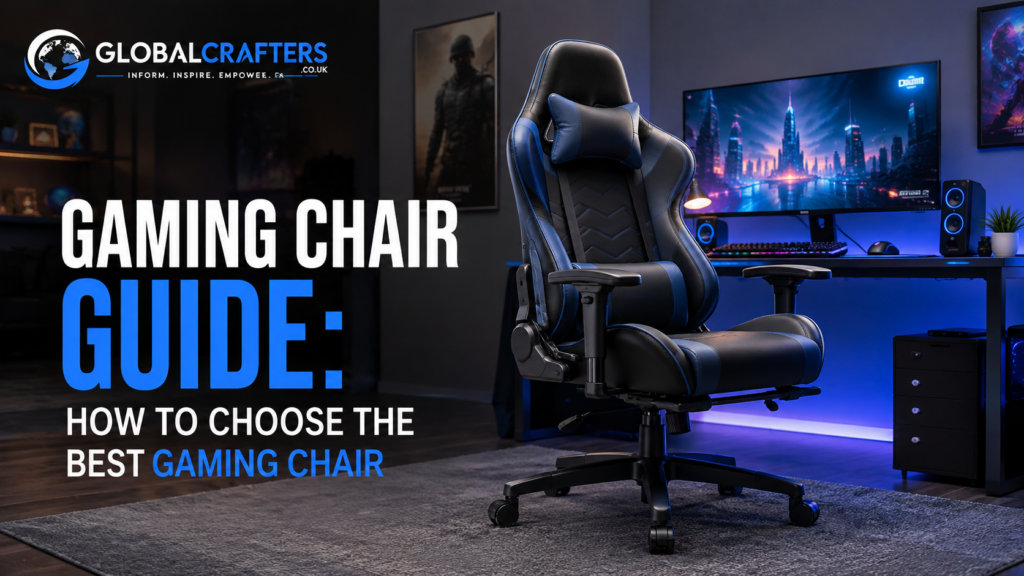

A gaming chair is more than a visual upgrade for a gaming setup. The right chair can make long sessions more comfortable, provide useful support for your back and arms, and help you maintain a stable sitting position while playing, working, studying, or watching content. However, choosing the right model is not simply a matter of picking the chair with the most aggressive gaming design. Seat dimensions, lumbar support, adjustability, padding, materials, weight capacity, and build quality can have a much greater impact on everyday comfort than appearance alone.
The gaming chair market includes everything from affordable entry level models to premium racing style seats and ergonomic chairs designed for people who spend many hours at a desk. Because features vary significantly between models, understanding what actually matters can help you avoid paying extra for features you do not need. This gaming chair guide explains the major types, important features, materials, sizing considerations, and practical buying factors to help you make a more informed decision.
What Is a Gaming Chair?
A gaming chair is a chair designed primarily for people who spend extended periods playing games on a computer or console. Many PC gaming chairs use a high back design, adjustable seat height, reclining functionality, padded armrests, and additional support around the head and lower back. Racing style gaming chairs are particularly common because their bucket seat inspired appearance gives gaming setups a distinctive look.
Despite the name, a gaming chair does not have to be used exclusively for gaming. A good model can also work as a computer chair for studying, remote work, browsing the internet, editing videos, or watching movies. What matters most is whether its dimensions and adjustment options suit your body and daily routine. A visually impressive chair that does not fit properly can be less comfortable than a simpler office chair.
Why Does a Gaming Chair Matter?
The average gamer may spend several hours sitting during a typical gaming session, and some people spend even longer at their computers for work or study. This makes the chair an important part of the overall desk setup. A poorly sized chair can create pressure points, restrict comfortable movement, or make it difficult to maintain a relaxed sitting position.
Comfort During Long Gaming Sessions
Comfort depends on several factors rather than padding alone. Seat depth, seat width, cushion firmness, backrest shape, armrest position, and temperature management can all influence how a chair feels after an hour or several hours of use. A chair that feels extremely soft when you first sit down is not automatically the most comfortable option for long term use.
The ideal gaming chair should allow you to sit with your feet supported, your back comfortably positioned against the backrest, and your arms resting naturally while using your keyboard and mouse or controller. Adjustable features are particularly valuable because users have different body proportions and gaming positions.
Posture and Ergonomic Support
Ergonomics should be a major consideration when choosing a gaming chair. Adjustable seat height allows you to position yourself correctly relative to your desk, while a suitable backrest can support your torso. Lumbar support can also help fill the natural curve of the lower back instead of leaving the area unsupported.
A chair cannot automatically guarantee perfect posture. Your desk height, monitor position, keyboard placement, sitting habits, and regular movement also matter. Nevertheless, a well designed chair can make it easier to establish a comfortable workstation.
Types of Gaming Chairs
Racing Style Gaming Chairs
Racing style chairs are among the most recognizable gaming chairs. They typically feature a tall backrest, pronounced side bolsters, a headrest area, and a seat inspired by motorsport designs. Many include reclining and tilt mechanisms.
Their biggest attraction is often the combination of gaming aesthetics and adjustability. However, users should pay close attention to the width and shape of the side bolsters. A heavily contoured seat may not be comfortable for every body type.
Rocker Gaming Chairs
Rocker gaming chairs are designed to sit directly on the floor or close to it. They can be particularly appealing for console gamers who play from a television rather than a traditional desk.
These chairs generally provide a different sitting experience from PC gaming chairs. They are best suited to setups designed around low seating and a television, rather than conventional computer desks.
PC Gaming Chairs
PC gaming chairs are designed for desk based gaming. They commonly provide height adjustment, a wheeled base, armrests, reclining functionality, and a high backrest. They are suitable for keyboard and mouse gaming as well as everyday computer tasks.
When shopping for a PC gaming chair, compatibility with your desk is particularly important. A chair that cannot position your arms comfortably relative to the desk can make even an otherwise well designed model frustrating to use.
Gaming Recliners
Gaming recliners are closer to traditional lounge chairs and can be useful for console gaming, movies, and relaxed gaming sessions. Some models incorporate footrests and extensive reclining mechanisms.
They can provide excellent relaxation but usually require more floor space than a conventional desk chair. They are therefore less practical for compact PC gaming setups.
Key Features to Look For
Lumbar Support
Lumbar support is one of the most important considerations for a gaming chair. The lower back naturally curves inward, so appropriate support can improve sitting comfort. Some gaming chairs use removable lumbar pillows, while others integrate adjustable lumbar mechanisms directly into the backrest.
A removable pillow gives users flexibility because its position can be changed. Built in adjustable lumbar support can offer more precise positioning, although it may increase the cost of the chair.
Head and Neck Support
A high backrest and headrest can provide useful support when reclining or taking breaks from active gaming. Neck pillows are common on racing style gaming chairs, but their usefulness depends on the user’s height and preferred sitting position.
Instead of assuming that a head pillow is automatically beneficial, check whether it can sit comfortably behind your neck. A poorly positioned pillow can become an annoyance rather than an advantage.
Adjustable Armrests
Armrests can significantly affect comfort because they influence the position of your shoulders, elbows, and wrists. Basic chairs may offer height adjustment, while more advanced models can allow movement in multiple directions.
For PC gaming, adjustable armrests can help users position their elbows comfortably while using a keyboard and mouse. They should ideally allow your shoulders to remain relaxed rather than forcing them upward.
Seat Height and Tilt
Seat height adjustment is essential for matching the chair to your desk. Your feet should be able to rest comfortably while your arms can reach your gaming controls without excessive shoulder elevation.
Tilt functionality provides another layer of adjustment. Some chairs allow the entire seat to tilt, while others mainly recline the backrest. The best configuration depends on how actively you sit and whether you prefer an upright or relaxed position.
Reclining Function
Many gaming chairs can recline substantially beyond a normal upright sitting angle. Reclining can be useful when watching videos, taking a break, or playing games with a controller.
However, the maximum advertised recline angle should not be the main reason to buy a chair. A stable mechanism, smooth adjustment, and comfortable backrest are generally more useful than a large number printed in the product specifications.
Seat Cushion and Padding
The seat cushion directly affects your experience because it supports your body throughout the session. Foam density, thickness, seat shape, and firmness all influence comfort.
There is no single cushion firmness that works for everyone. Some gamers prefer a firmer seat that provides consistent support, while others prefer softer padding. Testing a chair before purchasing is ideal when possible.
Gaming Chair Materials
Fabric
Fabric gaming chairs can offer a softer, less slippery surface than synthetic leather. They may also feel more comfortable in warm environments because the material can allow more airflow.
The downside is that fabric can absorb spills and may require more careful cleaning. If you regularly eat or drink at your gaming desk, maintenance should be considered before choosing this material.
PU and Synthetic Leather
Synthetic leather is popular because it provides a premium looking finish and is relatively easy to wipe clean. It also works well with the bold visual design associated with many gaming chairs.
However, synthetic leather can feel warmer during extended sessions, particularly in hot environments. Durability also varies considerably between products, so the quality of the upholstery and construction matters.
Mesh
Mesh is more commonly associated with ergonomic office chairs, but it can be relevant to gamers who prioritize airflow. A mesh back can provide ventilation during long sessions.
The trade off is that mesh chairs generally have a different design philosophy from traditional racing style gaming chairs. If ventilation and ergonomic adjustability are more important to you than gaming aesthetics, a mesh office style chair may be worth considering.
How to Choose the Right Gaming Chair
Consider Your Height and Weight
Never choose a gaming chair based solely on appearance. Check the manufacturer’s recommended height range, maximum weight capacity, seat width, and backrest dimensions. These measurements can determine whether the chair will actually fit your body.
A chair with a high weight capacity is not necessarily a better chair, and a larger chair is not automatically more comfortable. The goal is to find a model whose dimensions match your body rather than simply choosing the biggest available option.
Check Seat Dimensions
Seat width and depth are particularly important. Your thighs should be supported without the front edge of the seat pressing uncomfortably behind your knees. At the same time, you should have enough room to change position naturally.
Look beyond marketing terms such as extra large or ergonomic. Actual measurements provide more useful information when comparing chairs.
Match the Chair to Your Setup
Consider whether you use a PC, console, or both. A desk based PC gamer may benefit from adjustable armrests, seat height, and a supportive upright position. A console gamer using a television may prefer a rocker or recliner.
Your desk also matters. Measure the height of the desk and the available space underneath it. Check whether the chair’s armrests can move underneath the desk when you need to get closer to the screen.
Think About Long Term Durability
A gaming chair is a piece of furniture, so construction quality matters. Look at the base, casters, adjustment mechanism, upholstery, stitching, and warranty rather than focusing only on visual design.
Reviews can be useful for identifying recurring problems such as peeling upholstery, noisy mechanisms, loose armrests, or cushion compression. A good warranty can also provide additional confidence when purchasing a more expensive chair.
Gaming Chair vs Office Chair
Gaming chairs and ergonomic office chairs overlap in many features, but their design priorities can differ. Gaming chairs often emphasize racing inspired aesthetics, high backrests, bucket style seats, and reclining. Ergonomic office chairs commonly prioritize adjustability, breathable materials, lumbar mechanisms, and long duration workstation use.
Neither category is automatically better for every user. If you want a visually distinctive gaming setup and enjoy a racing style design, a gaming chair may be ideal. If you spend most of your day working at a computer and prioritize adjustability and ventilation, an ergonomic office chair may deserve serious consideration.
The most important factor is not the label on the product. It is whether the chair provides the dimensions, support, adjustments, and comfort you actually need.
Common Gaming Chair Buying Mistakes
One common mistake is choosing a chair based entirely on appearance. RGB lighting, aggressive side bolsters, contrasting upholstery, and gaming inspired styling may look impressive, but none of these features guarantees comfort.
Another mistake is ignoring measurements. A chair can have excellent reviews and still be unsuitable if its seat is too narrow, too deep, or too short for your body. Buyers should also avoid assuming that a higher price always means better ergonomics.
Finally, do not overlook your entire workstation. Even an excellent gaming chair cannot compensate for an incorrectly positioned monitor or poorly adjusted desk. Chair height, screen position, keyboard placement, and regular movement should all work together.
How Much Should You Spend on a Gaming Chair?
Gaming chair prices vary widely depending on materials, construction, brand, adjustability, and design. Instead of choosing a budget based on appearance alone, decide which features are genuinely important to you.
For an entry level setup, basic height adjustment, a comfortable cushion, stable construction, and appropriate dimensions may be enough. Mid range buyers can look for better upholstery, improved armrests, stronger mechanisms, and more adjustment options. Premium buyers should pay particular attention to build quality, ergonomic mechanisms, warranty coverage, and long term durability.
The best gaming chair is therefore not necessarily the cheapest or most expensive model. It is the one that delivers the right combination of comfort, fit, support, durability, and useful features for your specific setup.
Gaming Chair Maintenance Tips
Regular maintenance can help extend the useful life of a gaming chair. Keep the upholstery clean according to the manufacturer’s instructions and avoid using harsh cleaning products unless they are specifically recommended for the material.
Periodically inspect the casters, screws, armrests, tilt mechanism, and base. If you notice unusual movement, looseness, cracking, or mechanical problems, address them rather than continuing to use a potentially damaged component.
Avoid placing unnecessary weight or pressure on components that were not designed to support it. Proper maintenance is particularly important for chairs that are used every day for gaming, work, or study.
Conclusion
Choosing a gaming chair should be about much more than finding a chair that looks good next to your gaming PC. The right model should fit your body, work with your desk, provide appropriate support, and remain comfortable throughout your typical sessions. Features such as adjustable armrests, suitable lumbar support, seat height adjustment, quality padding, reliable construction, and appropriate dimensions deserve more attention than purely cosmetic extras.
Before buying, measure your available space, compare the chair’s specifications with your height and weight, consider the material and climate, and think about how you actually use your gaming setup. Whether you choose a traditional racing style gaming chair, an ergonomic office chair, a rocker, or a recliner, the best choice is ultimately the one that provides the right combination of comfort, support, durability, and value for your needs.
ASUS ROG Strix G16 G614FP-DS96 Gaming Laptop Review
Frequently Asked Questions
Is a gaming chair actually worth it?
A gaming chair can be worth buying if its dimensions, support, adjustability, and construction suit your needs. The gaming label itself does not guarantee comfort. Compare measurements and features rather than choosing solely for appearance.
What is the best type of gaming chair?
The best type depends on your setup and preferences. Racing style chairs are popular for PC gaming, rocker chairs suit some console setups, and recliners can work well for relaxed television gaming. Ergonomic office chairs are another option for users who prioritize adjustability.
Are gaming chairs good for long hours?
A well fitted gaming chair can be comfortable for extended periods, particularly when it provides appropriate lumbar support, seat adjustment, armrest positioning, and a suitable cushion. However, no chair replaces the importance of changing position and taking regular breaks.
Should I buy a gaming chair or an office chair?
Choose based on ergonomics, fit, and intended use rather than the product category. Gaming chairs often emphasize appearance and reclining, while ergonomic office chairs may offer more extensive workstation focused adjustments and breathable materials.
Is fabric better than leather for a gaming chair?
Neither material is universally better. Fabric can feel breathable and comfortable, while synthetic leather is easy to clean and offers a distinctive appearance. Your room temperature, cleaning habits, and personal preference should influence the decision.
How do I know what size gaming chair I need?
Check the manufacturer’s recommended height and weight range along with seat width, seat depth, and backrest dimensions. These measurements are more useful than general labels such as standard, large, or XL.
What features matter most in a gaming chair?
Seat dimensions, lumbar support, seat height, armrest adjustment, cushion quality, backrest support, stability, and build quality are among the most important features. Extra cosmetic features should come after these fundamentals.
Can I use a gaming chair for work?
Yes. A gaming chair can also be used for work, studying, browsing, and other desk activities. If you spend more time working than gaming, however, compare it with ergonomic office chairs to determine which design better suits your daily routine.