
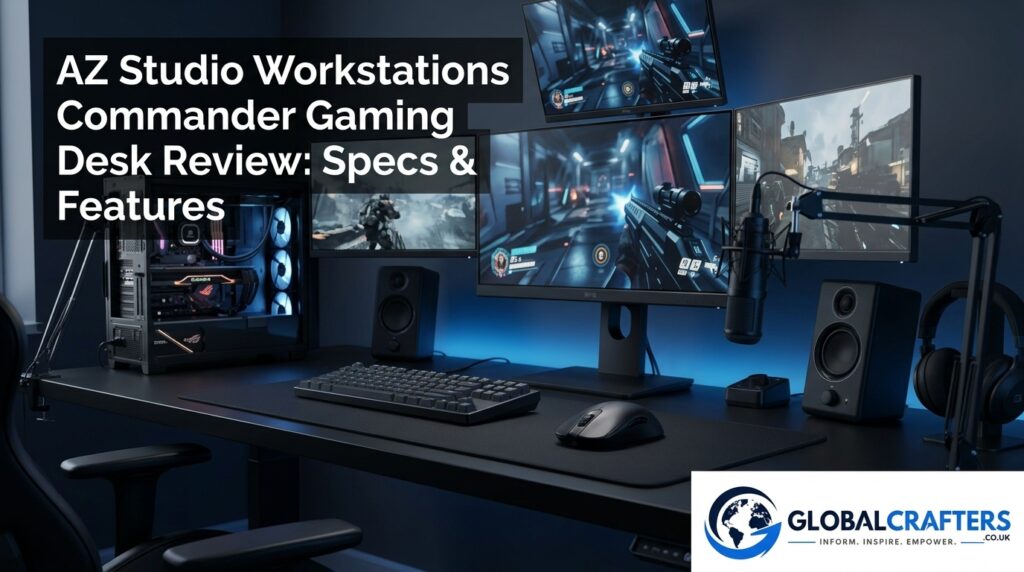

The AZ Studio Workstations Commander Gaming Desk is a premium gaming workstation designed for users who want considerably more than a basic rectangular computer desk. With its cockpit inspired shape, 78 inch width, removable upper shelf, cable management system and optional sit stand configuration, the Commander is built around the idea of creating a dedicated gaming command center. AZ Studio Workstations currently lists the standard Commander Gaming Desk at $1,499, with additional options available for sits tand legs and accessories.
Unlike many gaming desks that focus primarily on appearance, the Commander comes from a company with a long history of furniture manufacturing. AZ Studio Workstations says it has been manufacturing furniture since 1974, and its product range traditionally includes studio and music workstations alongside its gaming furniture. This background is relevant because the Commander is positioned as a substantial workstation rather than a lightweight gaming table.
This review looks closely at the AZ Studio Workstations Commander Gaming Desk, including its design, dimensions, construction, ergonomic options, accessories, gaming performance, streaming potential, price and overall value.
AZ Studio Workstations Commander Gaming Desk Overview
The Commander Gaming Desk is designed around a cockpit style concept. Instead of presenting the user with a completely straight rectangular surface, its angled design is intended to keep gaming equipment within easy reach. This makes the desk visually distinctive while also giving it a purpose built gaming identity. The manufacturer describes it as an ergonomically designed gaming computer desk with an angled cockpit style layout.
The desk measures 78 inches wide and 31 inches deep, with a standard desktop height of 31.5 inches. Its listed weight is approximately 175 pounds, while the desktop material thickness is specified as 1 inch. These specifications make the Commander significantly more substantial than compact gaming desks designed primarily for small bedrooms or temporary setups.
The Commander also includes a long upper shelf that follows the length of the desktop. This shelf can provide additional space for monitors, speakers and other equipment, while its removable design gives users the option of creating a more open configuration.
Commander Gaming Desk Design and Build Quality
Cockpit Style Gaming Design
The most noticeable feature of the Commander is its cockpit inspired shape. The angled layout is intended to create a more immersive gaming position, placing important peripherals and equipment around the user’s central seating area rather than treating the desk as a simple flat work surface.
For gamers using a keyboard, mouse, microphone, controller, headphones and multiple displays, this type of layout can make the workstation feel more organized. It also gives the desk a stronger gaming identity than a conventional office workstation.
The design will not appeal to everyone. Users who prefer a minimalist rectangular desk may find the Commander unnecessarily specialized. However, for someone building a dedicated gaming room, the unusual shape can become one of its biggest advantages.
Desktop Size and Construction
At 78 inches wide, the Commander provides substantial horizontal workspace. That makes it particularly interesting for multi monitor gaming setups, streaming systems and users who need space for additional peripherals.
The listed 1 inch material thickness and approximately 175 pound overall weight also give the workstation a substantial presence. This is not a desk designed to be casually moved around a room every few weeks. Buyers should think of it as a long term centerpiece for a gaming or entertainment setup.
The size also creates an important buying consideration: room space. Before purchasing, measure not only the wall where the desk will sit but also the space needed for the chair, monitor positioning, cable routing and movement around the workstation.
Commander Gaming Desk Specifications
The core specifications help explain why the Commander sits firmly in the premium gaming desk category.
| Specification | Commander Gaming Desk |
|---|---|
| Width | 78 inches |
| Depth | 31 inches |
| Standard height | 31.5 inches |
| Sit stand height | 24–51 inches |
| Listed weight | 175 lbs |
| Desktop thickness | 1 inch |
| Colors | White and Black |
| Top shelf | Removable |
| Warranty | 2 years |
| Starting price listed by manufacturer | $1,499 |
These specifications are based primarily on the manufacturer’s current product information.
Dimensions and Weight
The 78 inch width is one of the strongest selling points for users who need a large workstation. A desk this wide can accommodate multiple displays while leaving room for a keyboard, mouse, speakers, microphone and other gaming accessories.
The 31 inch depth provides enough front to back space for a conventional gaming setup without making the desk excessively deep. Nevertheless, users with large monitor stands or oversized peripherals should measure their equipment before purchasing.
The 175 pound listed weight is another important characteristic. It suggests a substantial piece of furniture, but it also means installation and future relocation require more planning than they would with a lightweight gaming desk.
Height Options
The standard Commander has a listed surface height of 31.5 inches. Buyers can also select an optional sit stand configuration with a stated height range of approximately 24 to 51 inches.
The sit stand option is particularly relevant to users who spend long periods at their workstation. It provides greater flexibility for alternating between sitting and standing instead of locking the user into a single desk height.
Gaming Features and Workspace
Removable Top Shelf
The upper shelf is one of the more practical features of the Commander. It follows the length of the desktop and can be used for monitors, speakers or additional equipment.
Because the shelf is removable, users are not permanently locked into a two level configuration. Someone who prefers a more open desktop can remove it, while another user can keep it installed to maximize vertical organization.
This flexibility is useful when building different types of gaming setups. A competitive FPS player may want a relatively clean primary surface, while a streamer could use the additional shelf space for displays and speakers.
Cable Management
Cable management is another listed feature of the Commander Gaming Desk.
This matters because premium gaming setups can quickly accumulate cables from monitors, PCs, keyboards, mice, audio equipment, lighting and chargers. A dedicated cable management system can help keep these connections organized and reduce visual clutter.
However, cable management still depends heavily on the user’s installation. The desk cannot compensate for poorly planned cable lengths or excessive equipment. For the sit stand version, cable routing becomes even more important because cables need enough slack to accommodate the desk’s movement.
Monitor and Peripheral Space
The combination of a 78 inch desktop and long upper shelf makes the Commander particularly suitable for users who run multiple displays.
The main surface can accommodate the keyboard, mouse and frequently used gaming equipment, while the upper shelf can help move displays and speakers away from the primary working area.
This arrangement can be especially useful for streamers and content creators who need space for cameras, microphones, controllers and other accessories alongside their gaming monitors.
Sit-Stand Option and Ergonomics
The Commander is available with an optional sit stand frame. AZ Studio Workstations lists the adjustable configuration at approximately 24 to 51 inches in height.
A sit stand configuration can make the workstation more adaptable to different activities. A user might sit while playing competitive games and raise the desk for browsing, working or other tasks. It can also help users change positions during long sessions.
AZ Studio Workstations has separately discussed the benefits of sit stand desks and describes height adjustment as useful for accommodating different working styles. The company’s guidance also specifically identifies the Commander as its gaming desk with an available sit stand configuration.
Still, an adjustable desk does not automatically make a setup ergonomic. Monitor height, viewing distance, keyboard position, mouse placement and chair adjustment remain important. Users should also regularly change position and take breaks during extended gaming sessions.
For buyers who value flexibility, however, the sit stand option is one of the Commander’s most meaningful upgrades.
Commander Gaming Desk Accessories
CPU Swivel Holder
The Commander can be configured with an optional CPU swivel holder. AZ Studio Workstations lists the accessory at $89 on the current product page. The company specifies a weight capacity of up to 22 pounds, with a CPU height range of approximately 11.8–21 inches and width range of 3.5–8 inches.
Keeping the PC in a dedicated holder can free valuable floor or desktop space and potentially make access to the computer’s rear connections easier.
Before ordering this accessory, users should check their PC case dimensions and weight against the manufacturer’s specifications.
Headphone Holder
A headphone holder is also available as an optional accessory, currently listed at $15.
It is a relatively small addition, but dedicated headset storage can make a gaming desk feel cleaner. Instead of leaving headphones on the desk or chair, users have a consistent location for them.
For a carefully organized setup, inexpensive accessories such as this can have a surprisingly noticeable effect.
Commander Gaming Desk for Gaming and Streaming
The Commander makes particular sense for enthusiasts who combine gaming with streaming or content creation. Modern streaming setups often require several devices beyond the PC itself, including multiple monitors, a microphone, camera equipment, lighting, headphones, controllers and other accessories.
The large desktop gives these components more room to coexist without forcing everything into a small workspace. The upper shelf can also provide another level for displays or speakers.
The cockpit inspired layout reinforces the idea of a centralized command station. For users who spend hours at their desk, having commonly used equipment within easy reach can make the setup feel more efficient.
The desk’s appearance may also work well in gaming focused video content. A clean, organized workstation can become part of the visual environment for streams and recorded videos.
That said, users should avoid filling every available space simply because the desk is large. A good gaming workstation should prioritize comfortable positioning and accessibility rather than maximum equipment density.
Commander Gaming Desk Price and Overall Value
The current official product page lists the Commander Gaming Desk at $1,499. The sit stand option adds $199, while the listed headphone holder and CPU swivel holder cost $15 and $89 respectively.
This places the Commander firmly in the premium gaming desk market.
Its value depends on the buyer. Someone looking for a basic surface for a laptop and single monitor can find much cheaper alternatives. Paying $1,499 for a desk would make little sense if most of its specialized features would go unused.
The situation changes for a gamer building a permanent command center. The Commander combines a large 78 inch workstation, cockpit style design, removable shelf, cable management, optional height adjustment and dedicated accessories.
The company’s wider workstation range also shows that the Commander sits alongside premium studio products rather than being an isolated low cost gaming table.
For serious gamers, streamers and creators with enough space and budget, the feature set can justify considering the Commander as a long term workstation.
Pros and Cons
Pros
- Large 78 inch workspace
- Distinctive cockpit style gaming design
- Removable upper shelf
- Built in cable management system
- Optional sit stand configuration
- 24–51 inch listed sit stand height range
- Optional CPU swivel holder
- Optional headphone holder
- Substantial 175 pound listed weight
- Two available main color options
- Two year warranty listed by the manufacturer
Cons
- Premium $1,499 starting price
- Large footprint
- Heavy construction can make relocation difficult
- Sit stand configuration costs extra
- Accessories increase the final price
- Specialized shape may not suit minimalist desk buyers
- Requires careful cable planning
- Potentially excessive for casual gamers
Who Should Buy the Commander Gaming Desk?
The Commander is best suited to serious PC gamers, streamers, content creators and enthusiasts who want a dedicated gaming workstation with plenty of room for equipment.
It is particularly attractive if you use multiple monitors or want to combine gaming with streaming, video editing, work or other desk based activities. The large surface and optional upper shelf give you considerable freedom when arranging equipment.
The sit stand version is worth considering for users who spend many hours at their workstation and want the flexibility of changing desk height.
On the other hand, casual gamers, students with limited room or buyers working with a tight budget may be better served by a simpler desk. The Commander’s premium construction and specialized design are advantages only when those features actually match the user’s needs.
Room size should also be treated as a major consideration. A 78 inch wide, 175 pound workstation is better suited to a dedicated office or gaming room than a cramped space.
Final Verdict
The AZ Studio Workstations Commander Gaming Desk is a premium gaming workstation built around size, accessibility and customization rather than simply adding gaming aesthetics to an ordinary desk. Its 78 inch width, cockpit inspired design, removable upper shelf and cable management features make it particularly suitable for expansive gaming setups.
The optional sit stand frame adds meaningful versatility, while the CPU swivel holder and headphone holder provide additional ways to organize equipment. The manufacturer currently lists the standard model at $1,499, so this is clearly an enthusiast level purchase rather than a budget gaming desk.
Ultimately, the Commander makes the most sense for someone who wants the desk itself to be the centerpiece of a serious gaming or streaming environment. If you have the room, budget and equipment to take advantage of its large footprint, it offers a distinctive and highly configurable workstation. If you simply need somewhere to place a keyboard and monitor, a less specialized desk will likely deliver better value.
You may also read more blogs
Frequently Asked Questions
Is the AZ Studio Workstations Commander Gaming Desk worth it?
The Commander can be worth it for serious gamers, streamers and creators who need a large, specialized workstation. Its $1,499 starting price makes it less suitable for casual users who only need a basic computer desk.
How wide is the AZ Studio Workstations Commander Gaming Desk?
The Commander Gaming Desk is listed at 78 inches wide and 31 inches deep, with a standard desktop height of 31.5 inches.
Does the Commander Gaming Desk have a sit stand option?
Yes. AZ Studio Workstations offers an optional sit stand configuration with a listed height range of approximately 24 to 51 inches.
How much does the Commander Gaming Desk cost?
The manufacturer’s current product page lists the standard Commander Gaming Desk at $1,499. The sit stand option and other accessories cost extra.
Does the Commander Gaming Desk include cable management?
Yes. Cable management is listed as one of the Commander’s special features, helping users organize cables for computers, monitors and gaming peripherals.
What accessories are available for the Commander Gaming Desk?
Available options include a headphone holder, CPU swivel holder and optional sit-stand legs. The current product page lists these as selectable options.
How much does the Commander Gaming Desk weigh?
The manufacturer lists the Commander at approximately 175 pounds. This substantial weight means buyers should carefully plan installation and placement.
Is the Commander good for a multi monitor gaming setup?
Yes. Its 78 inch width and long removable upper shelf provide considerable space for multiple monitors, speakers and gaming peripherals. The actual configuration will depend on monitor sizes, stands and the user’s preferred layout.